
What Is New in PD4ML v4.2.0
PD4ML v4.2.0 adds a second HTML/CSS layout engine, v42, alongside the existing one, and builds new features on it: browser-compatible layout, a DOM API, CSS @page rules, and Word output from the same layout as the PDF. The existing engine, v40, stays the default, so applications that do not opt in keep their current output. Several improvements apply to both engines.
This page describes a development snapshot. Features and details can still change before the release.
The v42 layout engine
Select it with useHtmlRenderer(Constants.LayoutEngine.v42) before readHTML() (or the corresponding option of the command-line tool, the tag library and the language wrappers). Its layout is checked against Chrome's print output.
- Modern HTML and CSS. A tolerant HTML5 parser that repairs markup as browsers do; Flexbox; CSS Grid; CSS multi-column layout continued across pages; vertical writing modes; media queries level 4.
- Page setup in CSS.
@pagerules: page size and margins, first, left, right and blank pages, named pages, and the 16 page-margin boxes with page counters. - The same output on every machine. Fonts come only from the configured font set,
@font-facerules and fonts bundled with PD4ML; the fonts installed on the host are never used. - Better accessibility. Richer PDF/UA tagging: headings, sections, lists, tables with header scopes, links, and images and SVG with their alternate text.
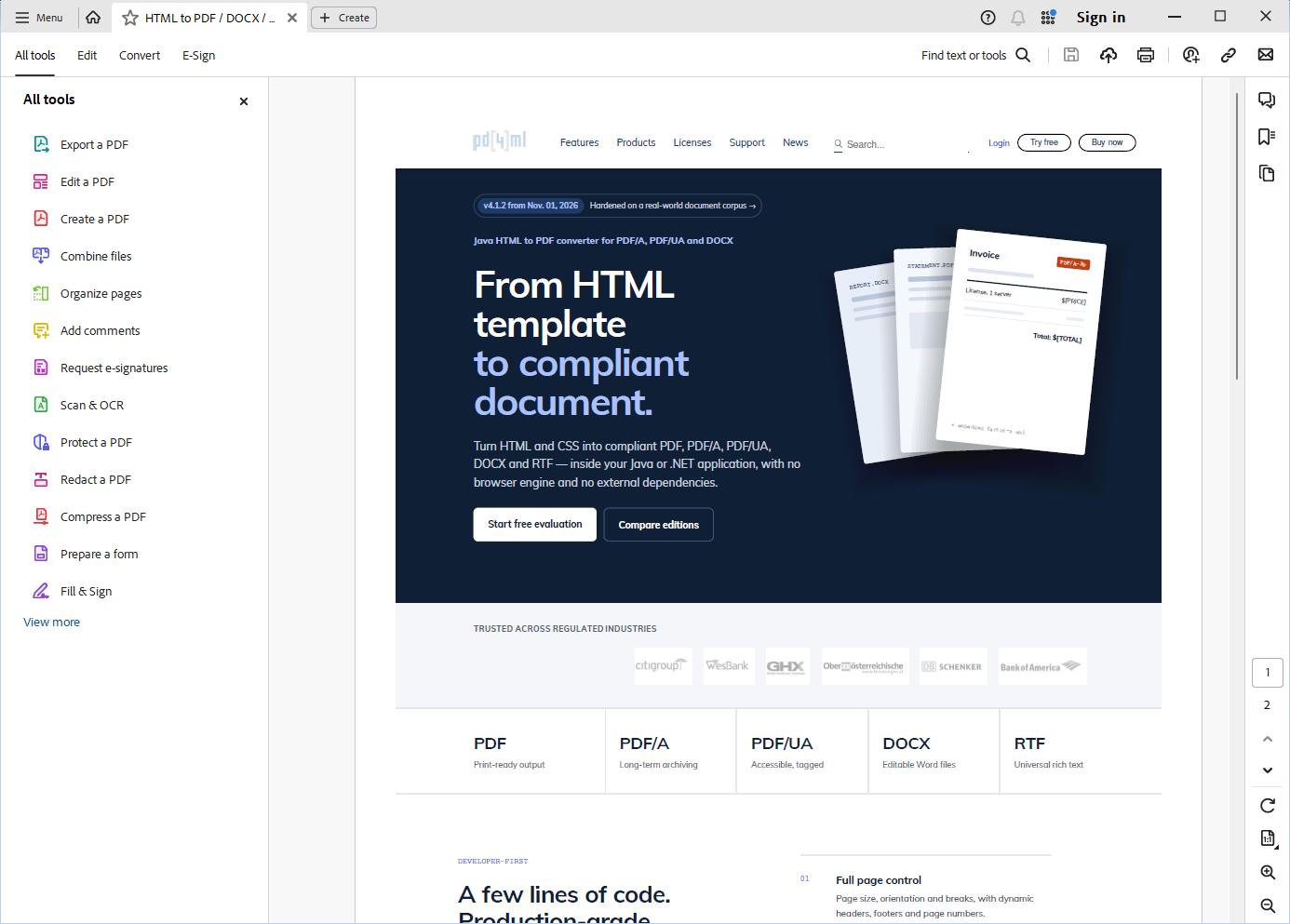
The pd4ml.com front page converted with the v42 engine (A4, HTML width 1280 px), open in Adobe Acrobat Reader. Download the PDF.
See Usage Examples: Select The Layout Engine, the HTML5 element support matrix and CSS @page rules.
The DOM API
Java code can read and change the parsed HTML document between readHTML() and the output -- query it with CSS selectors, edit text, attributes and styles, insert content -- and can lay the document out to find out where each element ends up, before writing the real output. Part of the DMS and UA editions; v42 engine. See DOM API: Modifying the HTML Document Before Conversion.
Word output from the same layout
With the v42 engine, DOCX and RTF output follows the layout of the PDF: positioned content, form controls, SVG and rounded boxes come out as editable Word objects. With the UA edition, the Word documents are accessible as well: headings, table header rows, the document language, alternate texts and the title. Watermarks now appear in DOCX and RTF output with both engines. See RTF and DOCX Output.
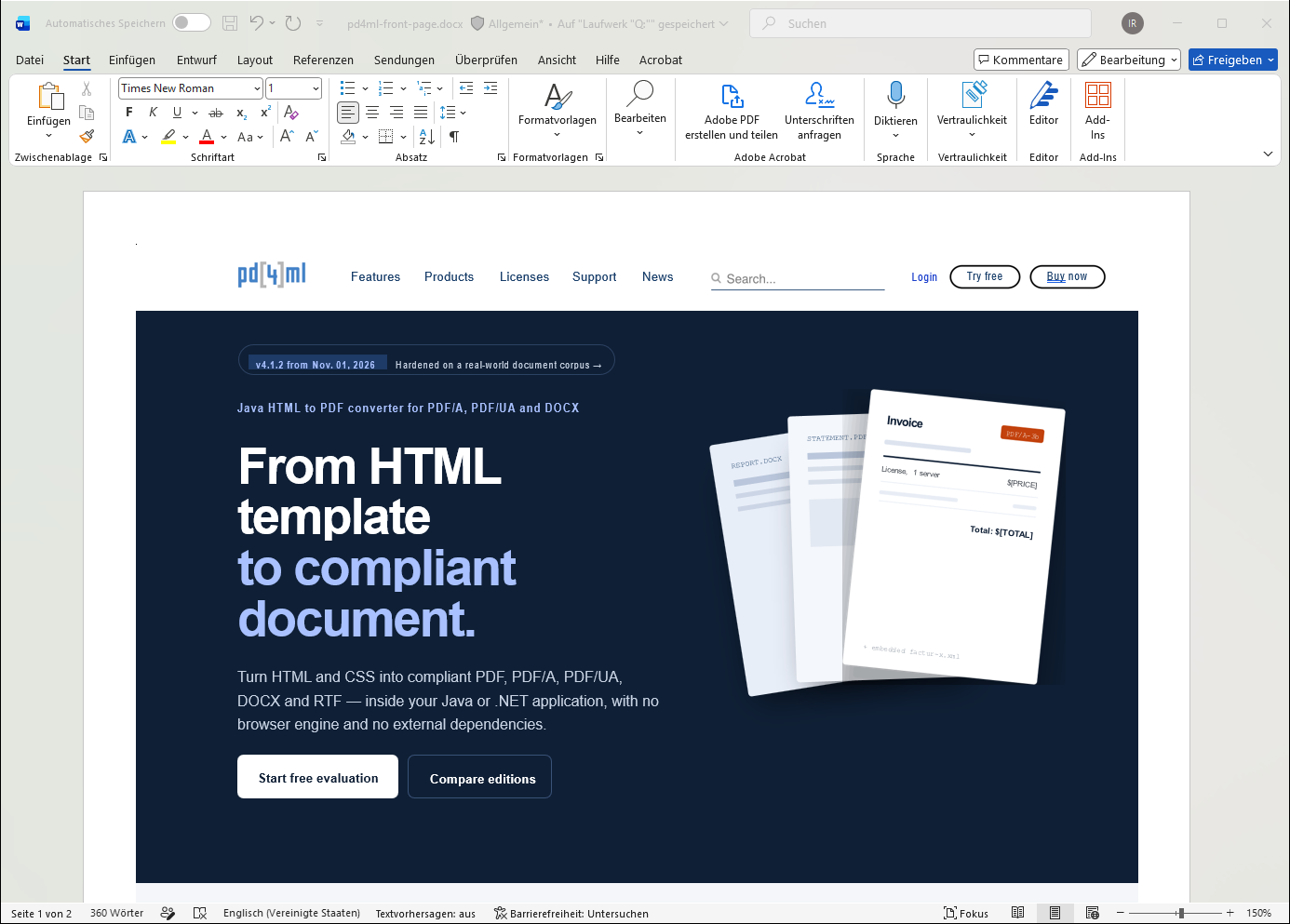
The same conversion written as DOCX, open in Microsoft Word. Download the DOCX.
Graphics and text, both engines
- CSS gradients: linear, radial and conic gradients as backgrounds.
- Color emoji, drawn from a color font.
- More scripts and letters: Khmer lines break between syllables (v42); letters such as Polish ę, ł or ś print correctly without a configured font set (v42).
Input and output
- E-mail and saved web pages:
.emlmessages and.mht/.mhtmlfiles are read like HTML. See Converting E-mail Messages and Saved Web Pages. - Smaller PDF files without any configuration: leaner page content, smaller font subsets and compressed object streams. See Compact PDF Output.
- Brotli compression for PDF 2.0 output, as an opt-in.
- One parse, several formats: PDF, DOCX, RTF and images from a single
readHTML().
Security
Resource loading can be restricted to listed locations, so HTML from users or other systems cannot make PD4ML fetch arbitrary files or URLs. See Restricting Resource Loading for Untrusted HTML.
PDF tools
The PDF optimizer can write linearized files ("Fast Web View"), and the PDF object model reads Brotli-compressed streams. See PD4ML PDF Optimizer.
Compatibility
- v40 remains the default. Nothing changes for existing applications until they select v42.
- Not supported, as before: JavaScript;
<iframe>,<embed>,<object>,<canvas>and<video>are shown as labelled placeholders.
For the details of every change, see the PD4ML Programmer's Manual and the usage examples.